
The Real Risk Is Not the Old Device — It Is the Workflow Behind It
A rugged handheld that still scans on Monday morning can make a legacy estate look healthier than it is.
The safer question is not whether the device powers on. It is whether the operating system image, sync path, authentication pattern, local database, and field procedure can still be supported when something breaks. A handheld that still scans inventory correctly may depend on a cradle-connected sync process that no longer has a supported desktop host.
Windows Mobile migration should start as an operational continuity exercise, not a purchasing exercise. Before anyone prices replacement handhelds, trace one real transaction from task assignment, through scan or data entry, through offline storage, through sync, through exception handling, and into the system of record.
Hidden dependencies to expose early
- Laser or imager scan engines with application-specific suffix behavior.
- Cradle-based sync through desktop hosts, shared folders, or middleware queues.
- .NET Compact Framework 2.0 or 3.5 components.
- SQL Server CE.sdf files, local XML, or delimited export folders.
- Custom login dialogs that do not map cleanly to modern identity providers.
- Route-first workflows and offline exception queues.
Microsoft’s Windows Embedded Handheld 6.5 lifecycle information is useful context, but the practical support position still depends on the exact installed build, OEM image, and local customization history.
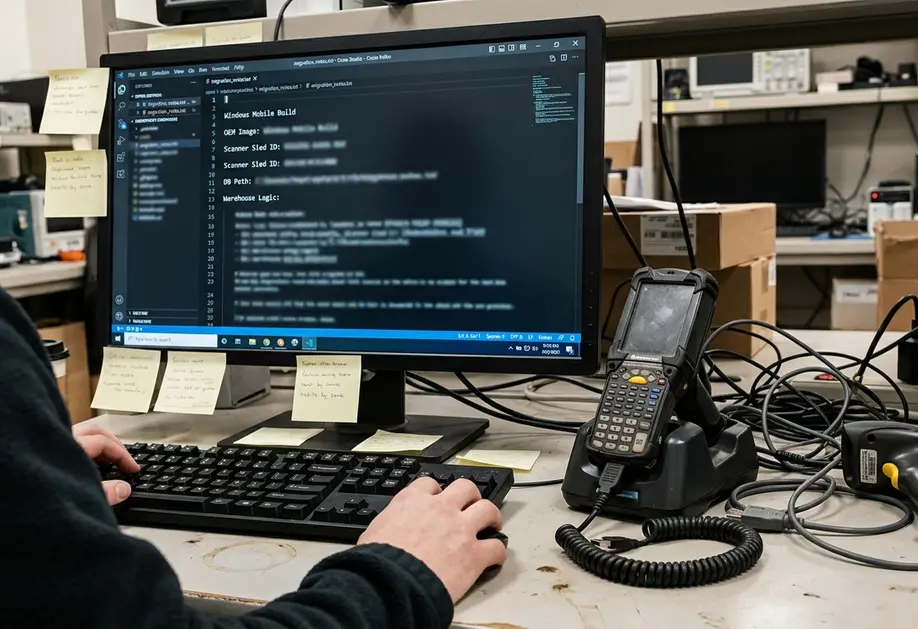
Start With a Field-Level Inventory, Not an Application List
An application list is too shallow for a Windows Mobile estate. The same application name can hide different scanner sleds, different database files, different route logic, and different failure habits by warehouse zone or region.
Build the inventory from the field upward. Start with the device manifest if one exists, then validate it by shadowing users on actual routes, receiving lanes, inspection stops, or repair benches. A discovery window of about two to three business weeks for one region, depot, or warehouse is usually long enough to see normal weekday work, end-of-shift sync behavior, and at least one supervisor exception review.
Inventory row to capture during observation
Field-level Windows Mobile migration inventory| Device and OS image | Workflow | Data captured | Offline duration | Sync trigger | Peripheral dependency | Common failure mode | Business owner | Disposition |
|---|---|---|---|---|---|---|---|---|
| Model, OS version, ROM or image label | Route, receiving, inspection, repair, approval | Scans, signatures, quantities, photos, notes | Expected time without network access | Cradle, batch upload, manual send, background retry | Scanner, printer, RFID, Bluetooth, serial adapter | Failed sync, duplicate scan, battery loss, queue error | Named operational owner | Retire, replace, rehost, rewrite, or contain |
Interview at least three role types where present: the person doing the scan or inspection, the supervisor who clears exceptions, and the support analyst who receives failed-sync calls. The support analyst often knows which failures are routine and which ones halt the floor.
Quick Tip: Check archival Windows Mobile notes against primary platform lifecycle records, OEM image notes, and local system documentation. Deployment era and customization level often change the migration path more than the product family name does.
Map Offline Data Before Choosing the Replacement Platform
Occasionally connected applications are usually the hard part. The screen may look simple while the real business logic sits across the handheld, a sync agent, and a back-office application.
A useful mapping session follows one record from creation on the handheld, through local validation, through storage, through retry, and into final posting. The same Windows Mobile application can store route activity in a local SQL Server CE file in one region and export flat files through a batch folder in another.
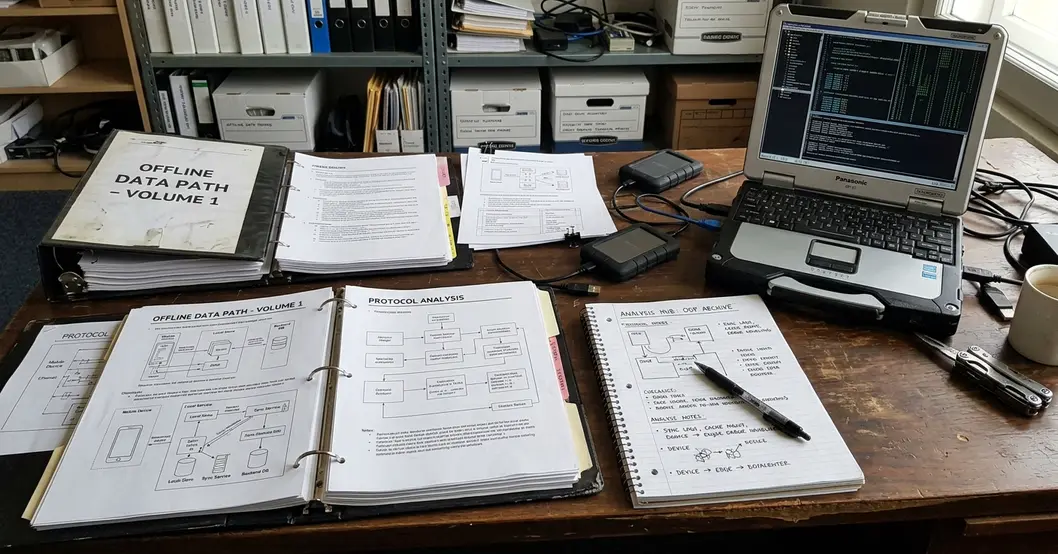
Data path elements to document
- Local tables, SQL Server CE.sdf databases, and file-based staging areas.
- XML payloads, delimited exports, and proprietary sync-agent directories.
- Identity keys, timestamp source, conflict rules, and retry interval.
- Failed-transaction queues and partial upload behavior.
- Manual reconciliation steps used by supervisors or support staff.
Use a data-mapping spike of roughly one to one and a half business weeks for each materially different workflow before target architecture selection. Test field conditions that change data behavior: no signal at task start, battery loss before final save, duplicate scan after restart, authentication expiry during sync, and a partial upload that reaches middleware but not the back-office application.
Note: A modern mobile app with a cloud API does not automatically replace a legacy offline workflow. It must preserve the transaction rules that kept field work moving during disconnection.
Classify Each Workflow by Business Risk and Migration Difficulty
Rank workflows with qualitative labels. False precision does not help when the evidence is a mix of operational risk, hardware fragility, and old integration behavior.
Use a migration board with five practical dimensions: operational criticality, data-loss exposure, hardware fragility, security exposure, and rewrite complexity. Then tag every workflow as retire, replace, rehost, rewrite, or temporarily contain.
How the board usually separates work
- Quick wins: read-only lookup, simple batch scanning, and supervisor approval views where the device does not own complex offline state.
- Higher-risk candidates: signature capture, regulated inspection evidence, inventory adjustment, route settlement, serialized repair history, and any workflow that allows delayed posting after a failed sync.
- Containment cases: workflows with low volume but brittle dependencies that cannot be safely rewritten before the first cutover wave.
Review the first prioritization pass in a 90-minute operations session. Hold a separate 60-minute technical session for dependencies such as scanner SDK behavior, database format, and authentication. This split keeps the business conversation from being swallowed by device details, while still giving the technical team room to inspect the risky seams.
Lifecycle status and security posture have to be judged against the exact installed platform build, OEM image, and local patch history, not the Windows Mobile family name alone.
Choose the Target Architecture Around the Work, Not the Trend
The right target architecture follows the work pattern. Barcode-heavy warehouse operations often point toward rugged Android hardware and mature scanner SDK support. Controlled enterprise scenarios may fit iOS when device standardization matters more than peripheral variety. Simple supervisory workflows may move to responsive web applications without carrying a full offline stack.
Compare paths against field constraints
- Native Android rugged devices: strong fit for scan-heavy warehouse, depot, and route operations where spare batteries, device docks, and scan-engine behavior matter.
- iOS: useful for controlled fleets, inspection teams, and camera-heavy workflows where hardware variation is intentionally limited.
- Responsive web apps: suitable for lookup, approval, and supervisory tasks with reliable connectivity and minimal peripheral needs.
- Progressive web apps: useful where moderate offline behavior is needed, provided browser storage and background sync limits are tested with real workflow data.
- Cross-platform frameworks: practical when a shared codebase can still reach the required scanner, camera, printing, and offline database functions.
- Server-side process redesign: worth considering when the old mobile application mostly preserved paper-era exception steps.
Compare each option against identity provider integration, mobile device management enrollment, API gateway pattern, local offline database, sync engine, log collection, crash reporting, app distribution, and peripheral SDK availability. Include device lifecycle, charging strategy, label-printer compatibility, support-desk tooling, and depot replacement process in the same comparison.
Watch out: Avoid one-for-one screen recreation as the default path. It can preserve old tab order, duplicate confirmation prompts, and exception steps that belonged to the original paper process rather than the current mobile workflow.
Prototype the Two Things Most Likely to Break: Sync and Peripherals
Do not wait for the full user interface before validating sync and peripherals. These are the seams most likely to decide whether the migration works in the field.
Use throwaway code, representative devices, and sanitized copies of legacy exports or database files. For barcode workflows, test the actual symbologies in use, such as Code 128, GS1-128, Data Matrix, or QR. Record whether the legacy app appended Enter, Tab, CR/LF, or a custom suffix after each scan.
Sync prototype tests
- Interrupt the device before upload.
- Interrupt it during upload.
- Interrupt it after middleware receipt.
- Interrupt it after the back-office commit.
- Validate duplicate submission handling, conflict resolution, background processing, authentication expiry recovery, and local queue replay.
A replacement mobile app can pass login and screen testing but fail field use when authentication expires during a background sync retry. Schedule a technical spike of about one and a half to two and a half business weeks for each major peripheral class, not for every screen in the application.
Barcode scanning, label printing, RFID, serial adapters, Bluetooth accessories, camera capture, and cradle replacement deserve proof before architecture sign-off.
Plan Cutover as a Controlled Field Operation
Cutover is not a release note. Treat it as a field operation with readiness gates.
A dependable sequence moves from validation to supervised pilot, then to a parallel run, limited regional deployment, staged device retirement, and full support transition. For a workflow that spans routes, shifts, or warehouse zones, use a 2 to 4 week supervised pilot. Shorten that only when the workflow is read-only or has no offline commit.
What the pilot should measure
- Task completion under normal field pressure.
- Sync reliability and recovery after interruption.
- Exception handling by supervisors.
- Battery endurance across the shift.
- Scanner ergonomics and scan confidence.
- Training friction and recurring support-ticket themes.
Keep rollback practical during the pilot window. Maintain spare legacy devices, frozen legacy application builds, known-good data export routines, named escalation owners, and a daily checkpoint with field supervisors.
Prepare side-by-side workflow notes showing old step, new step, scanner behavior change, offline indicator meaning, and what the user should do after a failed sync. Field teams do not need a migration theory during cutover; they need the next correct action.
Do Not Declare Victory Until the Legacy Estate Is Retired
The migration is incomplete while old devices, sync services, local databases, credentials, file shares, VPN rules, and support procedures still sit in production shadow.
Retirement should be a formal workstream. Preserve required records, export reference data, revoke device credentials, remove obsolete middleware, disable unused file shares, document the final architecture, and update disaster recovery runbooks. Archive legacy application packages, schema notes, sync configuration, and representative sanitized data samples for future audit or technical-history analysis.
Final review after device retirement
Run the lessons-learned review within about three to four business weeks after the last production legacy device is removed from active service. Focus the discussion on offline behavior, peripheral assumptions, vendor dependency surprises, support incidents, and any manual reconciliation that continued after go-live.
Leaving legacy sync paths alive creates shadow operations and unclear data ownership. The clean finish is to remove the old routes, archive what must be retained, and make the new support path the only support path.
Start the migration file by documenting one complete field transaction today: device, workflow, data captured, offline duration, sync trigger, failure mode, and owner.





Join the Conversation
Share your thoughts.
Your Comment