
What's Inside
- The Failure Usually Starts Before the Technician Opens the App
- Start by Mapping the Work, Not the Screen
- Classify Connectivity Before You Design Offline Behavior
- Build a Field Data Model Small Enough to Trust
- Choose a Sync Pattern That Matches the Cost of Being Wrong
- Match Devices and Runtime Choices to the Physical Job
- Design the Support Model as Carefully as the App
- Pilot the Pattern on Real Routes Before Scaling It
The Failure Usually Starts Before the Technician Opens the App
Field service mobility rarely breaks first in the screen demo. It breaks earlier, in the assumptions made about the workday.
A distributed team is often expected to behave like office staff with smaller devices: always reachable, always authenticated, always able to save against a central system. The actual route moves through van cabs, underground mechanical rooms, fenced industrial plants, hospital service corridors, rural feeder routes, and customer basements. Cellular handoff and Wi-Fi roaming are not background details in those places. They are part of the job architecture.
The failure sequence is familiar. A route downloads before departure. The first job opens cleanly. Mid-route, a parts lookup stalls. At closeout, photos sit in an upload queue and a customer signature is captured with no confidence that it has reached the service system. By the next morning, a dispatcher re-enters paper notes because stale work orders and duplicate closeout records have made the app less trusted than the clipboard.
This article treats field service mobility as a design pattern, not a purchasing decision. Devices matter. Frameworks matter. But reliable field work comes from aligning task flow, offline data, sync timing, physical hardware, and support operations.
Start by Mapping the Work, Not the Screen
Follow one job from dispatch to closeout
The practical starting point is a technician journey workshop. Do not begin with a screen inventory. Begin with one completed job and mark every handoff: who assigns the work, who receives it, what the technician must know before driving, what evidence gets captured, and what must return to the back office before the job is financially or operationally closed.
The route usually has stable stages: dispatch, travel, arrival, diagnosis, parts lookup, service action, customer sign-off, and closeout. Each stage should be described with the same columns: user role, route stage, physical location, required data, write-back action, connectivity expectation, evidence captured, peripheral used, and failure impact.
Put tasks into mobility lanes
- Must-work-offline tasks: inspection forms, diagnosis notes, required safety acknowledgements, photos, timestamps, and customer signatures.
- Network-preferred tasks: live inventory lookup, real-time appointment acceptance, warranty entitlement checks, and supervisor chat.
- Supervisor-only tasks: reassignment approval, exception authorization, and route package changes outside the original job window.
- Back-office reconciliation tasks: billing code correction, master data updates, contract adjustments, and final financial posting.
Physical context belongs in the same inventory. Nitrile gloves, winter gloves, direct sunlight on a windshield mount, one-handed use on a ladder, barcode scan distance, camera focus on serial plates, stylus versus finger input, customer signature capture, and interruptions during diagnosis all change the design.
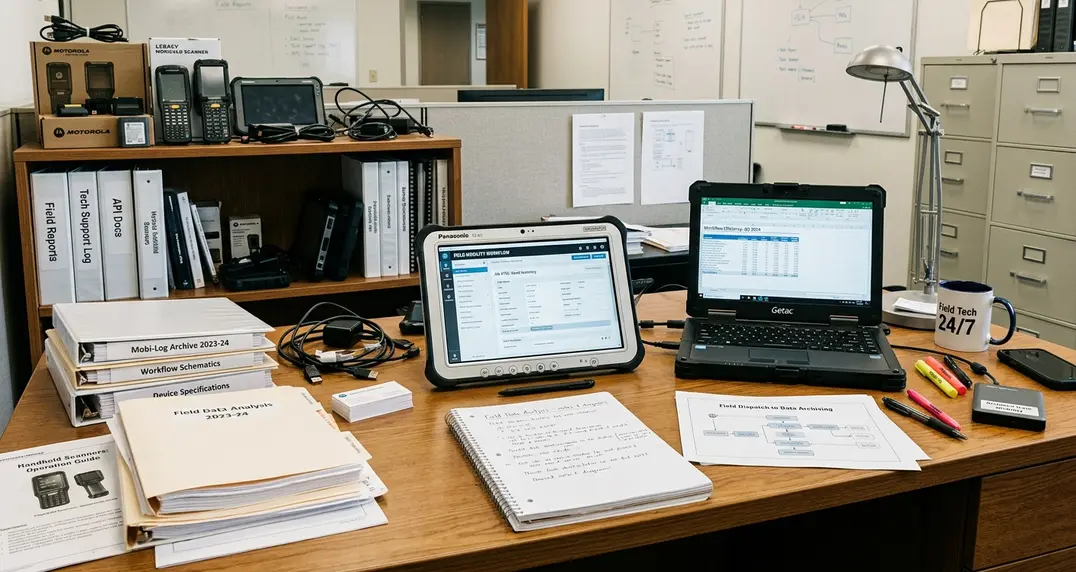
Quick Tip: In archival .NET Compact Framework deployments, handheld storage, screen resolution, battery limits, and wide-area data plans often forced this discipline early. The constraint was useful: teams had to decide what truly belonged on the device.
Classify Connectivity Before You Design Offline Behavior
Treat offline as a mode, not an exception
Offline behavior should not be a red error banner that appears after the design is otherwise complete. It should be a named operating mode with its own rules for data freshness, authentication, queue handling, and user feedback.
Three modes are enough for most field service designs:
- Online: the answer loses value if delayed, as with live inventory availability, real-time appointment acceptance, warranty entitlement, or supervisor chat.
- Occasionally connected: the technician can continue work while labor notes, meter readings, photos, status changes, and signatures queue during the visit.
- Deliberately offline: the job is expected to proceed without network access in secured plants, remote utility sites, shipyard zones, hospital service areas, or underground rooms.
A plain-language assumption helps more than a diagram at this stage: “The technician must be able to open today’s assigned work, complete required forms, capture at least one photo, and collect sign-off without a connection between arrival and departure.” That sentence gives architects, product owners, and support staff the same target.
Authentication has to match the job window
An enrolled device should be able to unlock against cached credentials for the active job window. It should not be able to expand customer access or download a new route without server contact. That separation prevents the app from stranding a technician in a customer basement while still protecting the service estate.
Microsoft’s official Microsoft offline data sync guidance is useful background for modern Azure-backed applications, but the operating-mode decision should come first. The platform implements the policy; it should not define the field policy by accident.
Build a Field Data Model Small Enough to Trust
Define the working set by route, shift, or assignment
A mobile system should not carry the full enterprise database into a truck. The field data model is defined by the job window.
A defensible working set includes assigned work orders, customer and site details, asset identifiers, recent asset history relevant to the task, required forms, route-relevant parts, safety instructions, and reference documents needed without network access. It should expire around the route, shift, or assignment window rather than persist indefinitely because it happened to sync once.
Mark ownership before writing sync rules
Each entity needs an ownership decision. The technician may create labor entries, inspection answers, diagnostic notes, photos, part usage, arrival and departure timestamps, customer signatures, and follow-up requests. The technician may only view customer billing terms, asset master records, contract coverage, regulated procedure text, serialized inventory ownership, and closed historical visits.
Local data boundary decisions were explicit in older SQL Server Compact and related synchronization models. Tables, filters, and relationships had to be selected because they physically resided on the device. Newer platforms can make local storage feel easier, but the same architectural question remains: what data is safe, necessary, current enough, and useful in the technician’s hand?
Summary: A trustworthy field data model is small, current to the route, clear about write ownership, and designed to disappear from the device after its operational purpose has ended.
Choose a Sync Pattern That Matches the Cost of Being Wrong
Start with business risk
Synchronization is not just a transport mechanism. It is a decision about what happens when the device and the system of record disagree.
Low-risk notes can tolerate simple replacement rules if the application shows who saved the current value and when it was queued. Inventory balance, billing status, entitlement, contract coverage, and serialized asset ownership should remain server-authoritative because a field device should not become the source of truth for shared financial or stock records.
Use different conflict patterns for different data
- Last-write-wins: suitable for informal job notes where replacement does not alter contractual, inventory, or safety state.
- Server-authoritative: suitable for billing, entitlement, serialized inventory, and asset ownership.
- User-mediated merge: suitable for changed asset location, conflicting meter reading, or customer contact updates where field evidence matters but the back office owns the master record.
- Append-only logs: suitable for inspection answers, safety acknowledgements, photo evidence, timestamped signatures, and regulated service steps.
Sync timing should also follow the route. Practical moments include pre-dispatch package creation in the early depot window before the first shift, route-start confirmation before the first drive, job-level upload immediately after closeout, Wi-Fi upload at the depot, and background retry with visible queue status.
Note: A pattern that is safe for dense urban routes with depot Wi-Fi may be fragile for remote maintenance routes where the device can remain disconnected across multiple jobs.
Match Devices and Runtime Choices to the Physical Job
Select hardware from field conditions
A phone may handle proof-of-arrival, photos, and light notes. A rugged handheld may be the better answer for barcode-heavy parts work. A tablet can fit checklist-heavy inspections. A mounted vehicle terminal can suit dispatch-heavy fleets where the cab is the workstation.
The comparison should use the route, not the conference room. Evaluate battery endurance across pre-shift download, navigation, repeated camera captures, barcode scans, screen-on form entry, customer signature, and end-of-day upload. Check screen behavior in direct sun, rain, cold storage, cab mounts, and dim mechanical rooms.
A tablet that works for checklist-heavy inspections can fail in a parts depot if repeated barcode scanning requires awkward camera aiming instead of a dedicated scanner.
Make runtime trade-offs explicit
Native apps, offline-capable web apps, cross-platform frameworks, and legacy.NET mobile stacks all carry trade-offs. Compare them by deployment control, local storage reliability, device management fit, operating system lifecycle, and integration with existing service systems.
Peripheral support deserves direct testing: integrated barcode scanners, Bluetooth scanner pairing, camera autofocus on asset plates, vehicle dock charging, spare battery or swap process, and protective case compatibility. The method here does not assume a single best platform; it treats older rApps-era and.NET mobile estates, modern web runtimes, and managed native deployments as contexts with different maintenance burdens.
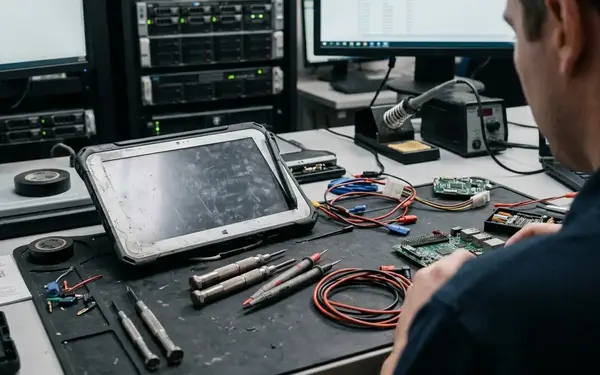
Replacement is part of device design. Define whether a technician can receive a pre-enrolled spare at the depot, whether a supervisor can reassign the route package, and how pending data from the failed device is quarantined.
Design the Support Model as Carefully as the App
Office assumptions create field incidents
Field service mobility fails when support depends on perfect connectivity, easy password resets, desk-side troubleshooting, and stable hardware. Those are office assumptions.
Each offline feature needs an operational owner. Someone must be able to enroll a device, reset credentials, inspect a sync queue, wipe lost hardware, reassign a technician, review failed transactions, and decide when local data should be purged.
Build the controls and playbooks together
- Mobile device management and controlled device enrollment.
- Remote wipe for lost or retired hardware.
- Role-based access tied to the active route and customer scope.
- App version control, rollback planning, and update windows.
- Encrypted local storage and controlled local data retention.
- Audit visibility for sensitive actions without exposing unnecessary customer notes or images.
Admin tools should show device identifier, assigned technician, app version, last successful sync time, pending transaction count by type, failed transaction reason, local data package age, and device health indicators. That view lets support separate a broken scanner from an expired credential or a corrupted cache.

The playbook should cover lost devices, failed sync, broken scanners, damaged screens, corrupted local caches, expired credentials, technician reassignment, duplicate closeout, and media files stuck in queue. Archival enterprise mobility projects show the same pattern repeatedly: code quality matters, but unresolved enrollment, replacement, credential, and sync-recovery procedures turn small field issues into operations incidents.
Pilot the Pattern on Real Routes Before Scaling It
Use routes that expose the design
Office Wi-Fi hides the defects that matter. A pilot should run on real routes before territory expansion.
Coverage should include a dense urban route, a rural or low-signal route, a secured facility visit, a parts-heavy repair, an inspection-heavy job, and an after-hours closeout path. Select technicians with different device familiarity and job lengths so the pilot tests the service pattern rather than a single favorable scenario.
Observe workarounds, not opinions alone
Watch where technicians pause, where they switch to paper, where signal drops, which forms get completed later in the van, which photos are retaken, which fields are skipped, and which sync failures require dispatcher intervention. The strongest evidence is often a small behavior: a technician keeps a parallel paper record because the app has not earned trust at closeout.
Offline Field Mobility Design Checklist| Design area | Question to answer | Evidence to collect |
|---|---|---|
| Work mapping | Can the technician complete dispatch, arrival, diagnosis, service action, sign-off, and closeout? | Route-stage inventory, handoffs, field notes, and observed workarounds. |
| Connectivity | Which steps are online, occasionally connected, or deliberately offline? | Known dead zones, secured facilities, queue behavior, and authentication rules. |
| Data model | What belongs on the device for the active route window? | Assigned work orders, asset context, forms, parts, safety instructions, and ownership rules. |
| Sync | What is the cost if the device is wrong? | Conflict rules, queue status, retry behavior, and server-authoritative records. |
| Operations | Can support recover the route without desk-side access? | Enrollment process, spare device flow, failed sync playbook, and admin visibility. |
Success signals should stay qualitative unless the program has named, traceable measures. Look for fewer manual workarounds, clearer job closeout, predictable sync recovery, less duplicate entry, fewer ambiguous support calls, and technicians trusting the app enough to stop maintaining a parallel paper record.
Before adding territories, run a scale-readiness review against route packaging, offline task coverage, conflict rules, device replacement, app rollback, admin monitoring, credential recovery, and support escalation. Start the next design session by walking one real route from package creation to final sync recovery, and mark every step that must still work when the technician has no signal.






Join the Conversation
Share your thoughts.
Your Comment