
The Question Early Mobility Forced: Can Field Work Survive Without a Live Connection?
What happens when a field-service application reaches a basement, equipment room, rural route, or secured facility and discovers that the network is gone?
That was the practical question behind early enterprise mobility. The device mattered, but the failure mode mattered more. A technician could still complete a visit if the application stored the assigned task, captured the required fields locally, and synchronized the record later. If the application required a live server lookup before saving a ticket, the technician could leave the site with no usable record of completed work.
This is not a nostalgia piece about Pocket PC hardware. It is a case study in how early mobile deployments treated disconnection as a normal operating condition rather than an exception. Pocket PC-class handhelds, HP iPAQ devices, and Blackberry-sized hardware created a tight constraint set: small screens, stylus input, local storage, limited memory, and cradle or intermittent network synchronization.
Those limits forced design decisions that still apply to field service architecture. The best early deployments did not try to shrink a desktop application. They captured the field event at the point of work, held the transaction locally, synchronized later, and reduced manual re-entry by administrative staff.
Challenge: Paper Tickets, Meter Reads, and Service Data Were Trapped in the Field
The paper artifact was the business record
Field technicians often collected the most valuable operating data while standing far away from central systems. Meter reads, service-ticket status updates, technician notes, account-linked observations, and task-specific measurements all originated at the work site. After that, the information moved through paper forms, phone calls, or delayed re-entry.
The operational pain was not only slow communication. It was reconciliation. A paper ticket had to become a central record. A meter reading had to connect to the correct customer account and equipment record. A technician note had to become visible to dispatch, billing, or account management before it lost context.
Xerox and Sonitrol show two sides of the same problem
In the commercial printer meter-reading context, Adesso was used for field-captured device readings associated with Xerox customer accounts and equipment records. Accuracy mattered because the record supported billing, service planning, and account review. A reading written down correctly but linked to the wrong asset still created work for someone else.
Sonitrol, the electronic security provider, used Adesso for field service tickets. That case emphasized dispatch context, work performed, status updates, and follow-up handling. The technician was not just reporting that a visit occurred; the technician was updating the state of a service process.
The evidence here is intentionally scoped to these deployment contexts and the early-2005 enterprise mobility period. It should not be read as a universal claim about every mobile field-service implementation.
Why Pocket PC Was a Practical Choice Before Always-On Mobile Apps
Platform selection followed the task shape
Pocket PC was a practical choice because the work was narrow, repeatable, and structured. A technician did not need a full desktop environment to select an account, confirm a site or asset, enter a reading, record an observation, and save the record for synchronization.
That task shape favored a PDA-class device over a laptop. The device fit into field routines, started quickly enough for short interactions, and supported local application logic. It was more capable than a basic handheld, but it did not invite the team to build a sprawling interface.
In facility-management environments, the HP iPAQ made sense for the same reason. Ruggedness, carry weight, quick access, and local capture mattered more than desktop parity. A technician needed the record in hand while moving through sites, not a workstation experience recreated on glass.
Modern assumptions would distort the design
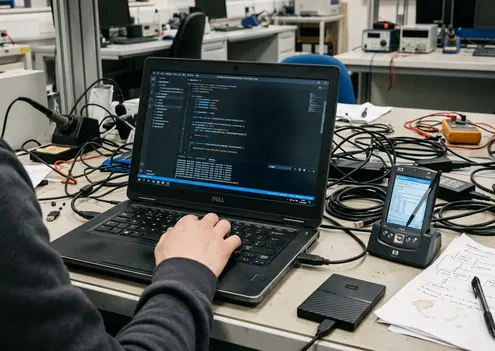
It is easy to judge early-2005 Pocket PC-era deployments against modern smartphones and cloud-native mobile backends. That misses the useful part of the architecture.
Device expectations of the period included compact screens, stylus-driven forms, cradle synchronization, intermittent wireless availability, limited memory, and deliberately narrow workflows. The constraints did not make the applications primitive by default. They made the boundary of the work visible.
A modern mobile team can learn from that boundary. When the interface supports only the next field action, design arguments become more concrete: which fields are required, who owns the record while offline, what must be available before the visit, and what can wait until synchronization.
Solution: Instant Mobility Treated Synchronization as the Product, Not an Add-On
Architecture overview
Instant Mobility was Adesso's core software brand for mobilizing enterprise field processes. The Adesso Instant Mobility Platform treated the mobile application as part of a distributed business system, not as a thin screen stretched from a server application.
The central pattern was web-based synchronization. Field-captured records could be created or updated on the handheld, then consolidated into enterprise systems when a connection became available. That mattered because persistent connectivity could not be assumed.
rApps, or replication applications, carried that model into smaller distributed business applications. They moved structured records between handheld field use and central systems. In the source context, rApps were described as field-proven for several years; that claim belongs to the Adesso field-mobility context, not to every possible mobile deployment.
Implementation detail
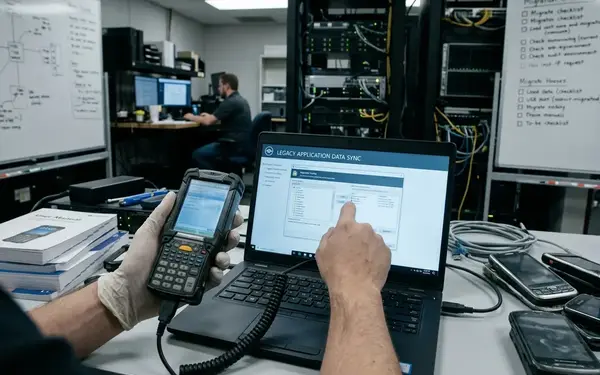
The implementation idea was plain. Put the field record on the device. Let the technician complete the bounded task. Store the transaction locally. Synchronize it back into the enterprise record when the network path returns.
That design changes what the product is responsible for. It must know which data travels to the device before the visit, which fields can be edited locally, which records need account or asset linkage, and how central systems recognize the returned transaction.
For pool and spa water analysis, the same pattern supported site-specific observations or measurements, repeatable task logic, and later consolidation into central records. The field application did not need to solve every business process. It needed to complete its slice of the process without losing the record.
Deployment Pattern: One Platform, Several Field-Service Jobs
Common operating model
Xerox meter reading, Ecolab water analysis, and Sonitrol service ticketing were not the same job. Grouping them together only works if the comparison stays at the field-job pattern level.
They shared a useful operating model: repeatable field tasks, structured records, local capture, delayed synchronization, and reduced duplicate entry. Each case moved the authoritative first capture closer to the work. That shift mattered because administrative staff no longer had to reconstruct as much field context after the technician returned.
Where the patterns differed
- Meter reading: accuracy, customer-account linkage, equipment identity, and billing visibility dominated the design.
- Water analysis: task-specific observations, repeatable calculations or rule-based outputs, and site history shaped the workflow.
- Service ticketing: dispatch context, work status, technician reporting, and follow-up handling carried the most weight.
The differences should drive the mobile screen. Meter reading needs account and asset precision. Water analysis needs observation capture and repeatable logic. Service ticketing needs status, technician notes, and follow-up handling. A generic mobile form would flatten those distinctions and make synchronization harder to trust.
Results: Automation Was the Business Case, but Offline Reliability Was the Enabler
Problem statement
The business case was automation. Adesso's field-service deployments were described in terms of decreasing costs and increasing revenue through automation, but no defensible cost-saving percentage belongs here without a named source.
The measurable-looking claims are less important than the operating change. Field data moved closer to the moment of work. Administrative re-entry decreased. Central records became visible sooner than they would have through paper handoff and later transcription.
Technical approach and result
The architecture enabled the result because it did not wait for perfect connectivity. A technician could capture the required data locally, preserve the structure of the business record, and synchronize after the field event. The value came from reducing lag between activity and record, not from turning the handheld into a constant network terminal.
The Sonitrol service-ticket implementation sits in a narrow historical window: the implementation context places the start in March 2005, with related publication timing in April 2005. That timing matters. These deployments belonged to early enterprise mobility, before teams could assume modern smartphone connectivity or cloud-native mobile backends.
Adjacent archival references connect the software organization to other contexts, including a disaster-response simulation and a consumer-products division deployment. Those references help show the broader mobility environment, but they should not be used as proof of field-service results.
What Modern Mobility Teams Can Reuse From These Early Deployments
Use case
Modern networks are better. Field work still fails in basements, industrial plants, rural routes, secured facilities, storm response, and emergency operations. The network disappears at exactly the point where the technician needs the application to behave calmly.
The reusable lesson is not the Pocket PC stack. It is the offline record lifecycle. Define what the device creates, what it can edit without a connection, who owns the record while it is offline, and how the system resolves conflicts when the record returns.
Code walkthrough, without the code
- Identify the bounded field record: ticket, reading, inspection, site observation, or measurement.
- Load the minimum context before the visit: account, asset, assigned task, required fields, and validation rules.
- Capture the event locally with a task-specific screen rather than a broad administrative form.
- Save the transaction on the device before attempting synchronization.
- Synchronize through a reviewable path that can detect conflicts, missing ownership, or stale central records.
- Confirm the returned record inside the system that dispatch, billing, service planning, or account management already uses.
Summary: Early enterprise mobility succeeded when synchronization, data ownership, and field workflow were treated as first-order design problems.
One catch matters for architecture review: this pattern is strongest when the field task can be represented as bounded records with clear ownership. Tickets, readings, inspections, and site observations fit well. Highly collaborative live work, where several users must edit the same object at the same time, requires a different conflict model.
Quick Tip: Design the offline workflow before choosing the mobile framework, then test the full capture-sync-review loop under weak or interrupted connectivity.
The Lasting Lesson: Mobility Is a Workflow Decision Before It Is a Device Decision
The original question was never only whether a technician could carry a handheld. The harder question was whether the enterprise process could keep moving while disconnected and reconcile cleanly afterward.
The challenge was trapped field data: paper forms, phone calls, delayed entry, and service context that aged quickly. The solution was local capture through mobile field applications, with structured records synchronized back into central systems. The result was lower administrative friction and faster visibility into field activity without requiring an always-on connection.
That lesson still belongs in architecture planning. Mobility starts with the workflow boundary, the record owner, and the synchronization path; the device comes after those decisions.
Map one field workflow now: choose a single ticket, reading, inspection, or site observation, then write the offline capture-sync-review sequence before selecting the mobile framework.


Join the Conversation
Share your thoughts.
Your Comment