

What's Inside
- Why Instant Mobility Was More Than a Mobile App Label
- Definition: What Was the Instant Mobility Platform?
- Product Lineage: From thinkingBytes to Adesso Systems
- Architecture: SOA, Loose Coupling, and Always Available Computing
- How the Platform Moved Data, Files, and Rules
- Deployment Models: Hosted, On-Premise, and Marketplace
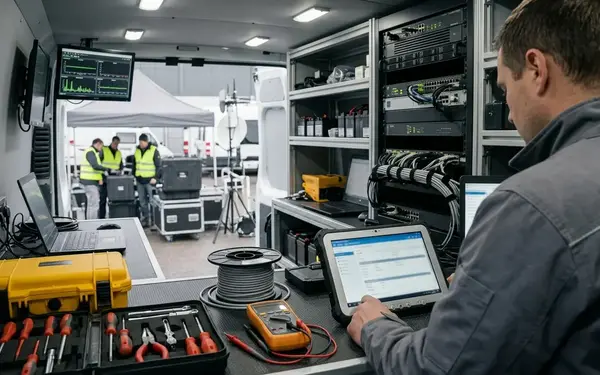
- Devices, Networks, and Field Use Cases
- What Instant Mobility Helps Explain About Enterprise Mobility
Why Instant Mobility Was More Than a Mobile App Label
In 2005, enterprise mobility was not mainly a question of shrinking a desktop screen onto a Pocket PC.
The harder problem sat in a service van, a warehouse aisle, a clinic hallway, or a customer site where the network signal came and went. A mobile worker still needed the current work order, the correct customer record, a place to capture notes, and a way to send the transaction back when a connection returned. That workload included local record access, deferred transaction capture, file attachment handling, and later synchronization after a network session became available.

That is the useful frame for Adesso Instant Mobility. It belonged to the 2005-2006 enterprise mobile period, when Pocket PCs and early smartphones were positioned as extensions of back-office systems rather than consumer app endpoints.
Summary: Treating the platform as a simple mobile app label erases the hard problem it addressed: keeping transactions, files, and rules usable while a field device had no dependable live connection.
This article defines Instant Mobility historically and technically. It is not a current product recommendation, procurement shortcut, or claim that the architecture maps cleanly onto today’s cloud-native mobile stack.
Definition: What Was the Instant Mobility Platform?
Adesso Instant Mobility is best classified as a distributed enterprise application framework for occasional connectivity. Its category was Pocket PC and smartphone application platform, not a single-purpose mobile application.
Runtime behavior, not just device support
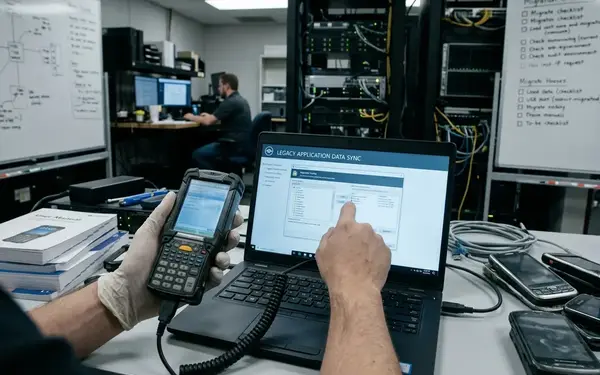
The key definition turns on where logic ran, where data lived, and how the endpoint rejoined enterprise systems after disconnection. Application rules and selected enterprise data could reside locally on a Windows mobile device during weak-signal or disconnected operation. When a connection became available, the device synchronized back toward server-side systems.
That distinction matters. A thin mobile front end assumes a live session. Instant Mobility assumed that the live session might disappear in the middle of useful work.
Named platform components
The archived component set included Adesso NOW OE/S, Adesso Designer, the Application Engine, the Synchronization Engine, the Rich Media Management System, and a Rules engine. Read together, those names describe a platform that combined application assembly, local runtime execution, synchronization, media handling, and configurable behavior.
- Adesso Designer supplied the design and parameterization layer.
- Application Engine described the runtime side of the distributed application.
- Synchronization Engine handled the return path between the endpoint and enterprise systems.
- Rich Media Management System addressed attachments and captured field media.
- Rules engine gave the platform a way to carry application behavior without treating every change as a hard-coded rewrite.
Product Lineage: From thinkingBytes to Adesso Systems
The company timeline helps explain why Instant Mobility used the vocabulary of distributed systems rather than only handheld software.
The history begins with thinkingBytes, founded in 2000. The renamed Adesso Systems identity followed in 2002, and the most visible platform materials sit in the 2005-2006 window. That timing matches the product-launch language and mobile-enterprise assumptions found in the archived positioning.
Leadership context
Dennis Kelly served as President and CEO, with prior association to Adjoin Solutions. That matters only within scope: it ties the company lineage to web services management and distributed-systems thinking, especially in the context of Adjoin’s acquisition history.
John Landry appears in the lineage as Chairman, CTO, interim CEO, author, and technology strategist. His relevance here is architectural framing and enterprise software history. Earlier experience at a major systems vendor and at a financial-application software firm later sold to a business-information company places the platform in a recognizable enterprise software tradition.
The point is not biography for its own sake. The leadership record helps account for why the product was framed around service orientation, synchronization, and enterprise integration instead of around handheld convenience alone.
Architecture: SOA, Loose Coupling, and Always Available Computing
The architecture can be separated into three related claims: service orientation as structure, loose coupling as dependency control, and always-available computing as the mobile operating pattern.
Service orientation as the organizing model
Service Oriented Architecture supplied the language for reusable software modules and integration points. In this model, the mobile application was not an isolated device artifact. It was one participant in a broader system of services, synchronization flows, rules, and enterprise data sources.
That framing matched mid-2000s enterprise software expectations. Integration was the work. The mobile device was valuable only if it could carry the workflow into the field and return the result with enough structure for back-office systems to use it.
Loose coupling versus tight coupling
Loose coupling reduced hard-coded dependencies between mobile clients, synchronization services, and back-office systems. A tightly coupled design demands precise assumptions about endpoints, data paths, and execution timing. That can work in a controlled office environment, but it becomes brittle when a field device drops signal, changes task sequence, or synchronizes later than planned.
Always Available Computing handled the practical side. Usable logic and data lived on the mobile device so a field user could continue without a continuous live session.
Note: The historical claim is strongest for Windows-centered, occasionally connected enterprise deployments from the mid-2000s. It should not be stretched into a general statement about modern mobile application architecture.
How the Platform Moved Data, Files, and Rules
A field update followed a recognizable path: local capture, change detection, synchronization packaging, server-side switching, and protected transfer back toward enterprise systems.
Intelligent replication and delta synchronization
Intelligent replication covered automatic synchronization of data, files, and schema. That scope is broader than simple row-level business record transfer. It recognizes that field work often produces attachments, format changes, and supporting material alongside the primary transaction.
Delta synchronization made the transfer more practical on constrained mobile links. Instead of retransmitting full data sets, the platform exchanged altered information. The method aligned with the operating conditions of GPRS, EDGE, Wi-Fi gaps, and docked synchronization patterns common to the period.
Record limits and rich-media inputs
User-specified record limits acted as transfer caps. If a device or session could not tolerate a large payload, the platform could restrict what moved during that exchange.
The rich-media handling list is concrete: scratch-pad ink,.WAV audio,.GIF images,.JPG and.JPEG images,.BMP files, general image capture, audio capture, and file attachments. That mix points to field evidence rather than polished office documents alone.
The server-side switching function acted as the hub for routing synchronized data toward enterprise systems. The security model is best described carefully as a data-transfer protection layer, without assigning certifications or cryptographic guarantees not present in the archived material.
Deployment Models: Hosted, On-Premise, and Marketplace
Instant Mobility used one platform umbrella for several operating models. A hosted synchronization setup, a behind-the-firewall enterprise server, and a marketplace-distributed application imply different ownership, integration, and operational responsibilities.
Hosted synchronization
The ASP service and Adesso Hosted Server solution represented subscription-based synchronization options operated outside the customer’s own server room. For a smaller deployment or a team without internal server capacity, that model reduced the immediate infrastructure burden.
It also changed the responsibility map. Hosting affected where synchronization infrastructure lived, who operated it, and how enterprise integration had to be negotiated.
Private enterprise deployment
Adesso Enterprise Edition Server was the behind-the-firewall licensed option. This model suited organizations that wanted internal control of synchronization infrastructure and closer proximity to enterprise systems.
The trade-off was straightforward: more control, more operational responsibility. Server placement, integration testing, access policy, and support procedures moved inside the enterprise boundary.
Marketplace mechanisms
AppsNOW, AppsMarket, and AppsMarket Beta introduced application catalog and market language into the platform story. These were tied to distributed software applications and developer participation, not merely to consumer-style app discovery.
Quick Tip: When evaluating archived platform claims, separate runtime architecture, deployment model, and marketplace strategy before comparing Instant Mobility with later SaaS or mobile-platform categories.
The no-code or low-code aspect came from designer-driven parameterization. It should not be confused with a modern visual cloud builder.
Devices, Networks, and Field Use Cases
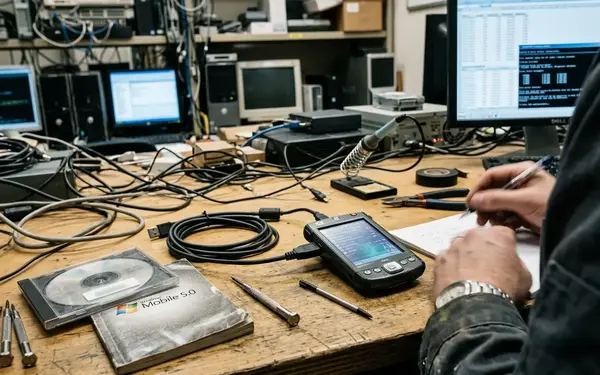
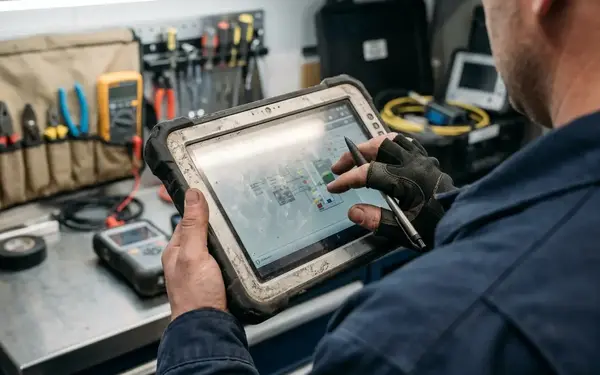
The endpoint set centered on Windows mobile devices: Pocket PCs, smartphones, and tablet-style field devices used as distributed application endpoints.
Ecosystem alignment
Archived compatibility language referenced Microsoft as a Pocket PC certification partner, Oracle as the Oracle 10g database platform partner, and Cingular Wireless for GPRS/EDGE certification. In this context, those references are best read as ecosystem-alignment markers in the archived materials, not as proof of universal compatibility across every device, database, carrier network, or customer configuration.
That qualifier is important because enterprise mobility deployments were assembled from many moving parts. Device model, operating system build, carrier plan, synchronization schedule, database integration, and field workflow could all affect the final system shape.
Field capability profile
The named field capabilities included GPS, RFID, bar coding, and handling of office document formats such as Excel spreadsheets, PowerPoint presentation files, and Acrobat PDF documents. Those details make the platform easier to place. It was not only a form-entry tool. It belonged to asset tracking, service execution, inspection, documentation, and mobile knowledge work.
Archived examples included a field-service organization, a medical-monitoring company, a pharmaceutical manufacturer, and a healthcare technology business. The useful lesson is qualitative: the platform vocabulary fit industries where work happened away from desks and records had to come back in structured form.
What Instant Mobility Helps Explain About Enterprise Mobility
Instant Mobility sits between three automation ideas: back-office automation, front-office automation, and No-Office automation. The phrase No-Office captures the important shift. Work no longer waited for the employee to return to a desk before the system could recognize progress.
The mobile device carried workflow state and selected business data. It could accept local input, hold rules, collect media, and rejoin enterprise systems through synchronization. That pattern anticipated later architectural concerns: offline-first access, local execution, secure synchronization, rich-media capture, configurable application assembly, and device-specific deployment packaging.
Why the lineage still has research value
For software architects, the platform shows how SOA and synchronization were combined under Windows mobile constraints. For.NET mobile historians, it places Pocket PC and smartphone development inside enterprise deployment practice rather than hobbyist device programming. For B2B technology researchers, it offers a period example of how hosted delivery, marketplace language, and enterprise server licensing could coexist in one product story.
The practical next step is to map any archived Instant Mobility reference against three columns: runtime architecture, deployment model, and field workflow. That single worksheet will separate the platform’s technical design from its hosting claims and its marketplace positioning.









Join the Conversation
Share your thoughts.
Your Comment