
What's Inside
- The Work Order Does Not Wait for a Signal
- Challenge: Field Service Is an Occasionally Connected System
- Why Mobile RAD Mattered in the.NET Field Stack
- Solution: Treat the Device as a Local Workbench First
- Deployment Decisions: Sync, Forms, and Service Boundaries
- Rollout: Pilot Routes, Exception Logs, and Technician Feedback
- Results: What the Deployment Could Prove
- Architect Takeaways for Rebuilding the Pattern Today
The Work Order Does Not Wait for a Signal
The technician still has cellular service in the parking area. By the time he reaches the basement mechanical room, the data connection is gone.
That is the first decision point in a field service application. Before calling dispatch, restarting the handheld, or walking back outside, the technician needs the assigned work order, the asset record, the last service note, the required parts list, and enough customer-site context to begin safely. The customer is present. The equipment is open. The service workflow cannot pause while the device negotiates with the network.
The practical deployment question is simple: what should an enterprise field service application do when the network becomes optional rather than guaranteed?
This article treats that question as a case-study pattern from the 2004-2008 enterprise mobility period, when Windows-based handhelds, ruggedized laptops, local databases, and.NET-style mobile clients were common reference points for occasionally connected field systems. The challenge was field execution under intermittent connectivity. The solution was an offline-capable mobile workflow. The result should be judged through operational evidence, not through platform claims.
Summary: The minimum on-device work packet should include the job identifier, customer location, asset identifier, service task list, safety or access notes, prior visit summary, parts expected for the visit, and a completion state that can be queued without live server contact.
Challenge: Field Service Is an Occasionally Connected System
Office software assumes a stable desk, a persistent session, and a network that behaves like part of the furniture. Field service does not.
A work order crosses several boundaries before it becomes a billable service event. It begins in dispatch, moves to a technician in transit, gets interpreted near the asset, and returns to billing, inventory, or service management after completion. Along the way the technician moves through depot Wi-Fi, cellular coverage during travel, weak signal inside customer premises, and restored connectivity at a vehicle, hotel, or depot at the end of the route.
Online-only design creates predictable operational risks. A technician may be unable to open the job after arrival. A dispatcher may see no progress even after the work has started. Paper notes may be re-keyed later. An asset warning may be missed because the history was not cached.
Those failures are not cosmetic. They alter the sequence of work.
Data That Has to Travel With the Technician
The field record is wider than a job title and address. Relevant data types include assigned jobs, customer contact details, site access instructions, asset serial or tag records, inspection answers, meter readings, parts consumed, labor notes, photographs where permitted, timestamps, signatures, and completion or follow-up status.
In industrial routes, the same pattern may apply to a rural utility cabinet, a fenced equipment yard, or maintenance around plasma arc cutting stations, arc welding cells, and air carbon cutting equipment. The asset may be physically reachable while the enterprise system is not.
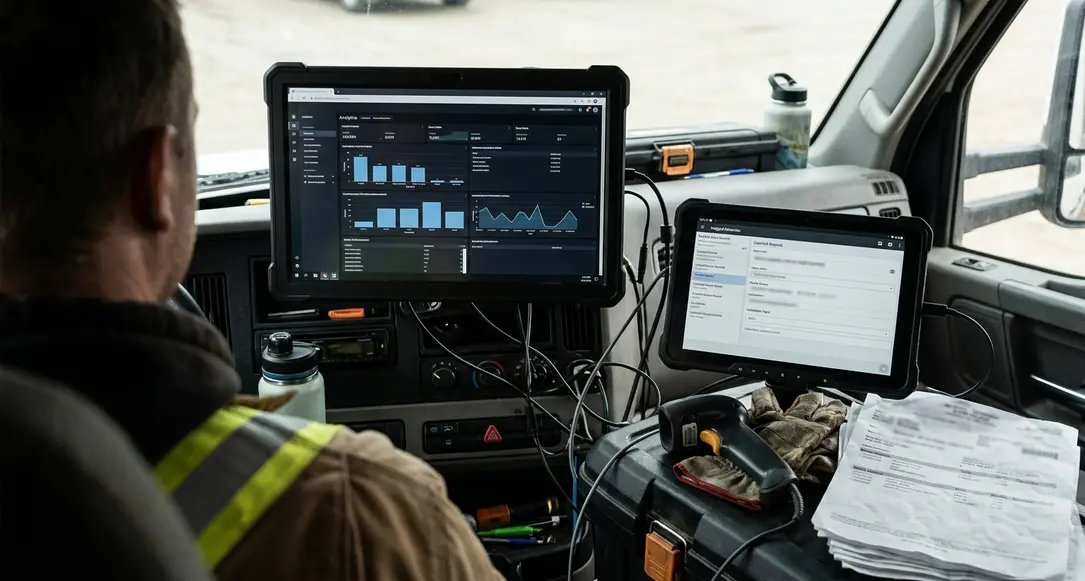
Note: The design problem is not merely “store data offline.” The harder problem is deciding which field decisions must remain valid when the server is unavailable.
Why Mobile RAD Mattered in the.NET Field Stack
Mobile rapid application development mattered because field processes changed after real route exposure. A required inspection field looked unnecessary in the design room and essential after a week of site visits. A completion state needed a dispatch exception code. A pick list had to reflect how technicians actually described the condition of an asset.
Long release cycles made those changes expensive. The more the field process depended on paper workarounds, the less useful the mobile project became. A RAD approach allowed teams to adjust forms, validation rules, job states, and local messages without treating every operational correction as a new platform initiative.
In the mid-2000s enterprise mobile period, a plausible stack included Windows-based mobile clients,.NET Compact Framework-style application code, synchronization middleware, and back-office databases exposed through controlled service or batch interfaces. Corporate IT teams already invested in managed code and relational databases could understand that model. It fit the skills, security expectations, and deployment habits of many Microsoft-standardized environments.
The Historical Boundary
This is not an argument that one platform solved all field mobility problems. The archival reading is bounded to enterprises that already had Microsoft infrastructure, structured service workflows, and assigned work packets that could be staged before a route began. Within that scope, a.NET-aligned mobile stack gave architects a familiar way to connect local device behavior with back-office systems.
Adesso Systems has often documented this period through product strategy and deployment context rather than nostalgia. The same discipline applies here: the value was not the logo on the handheld. The value was the ability to change field workflow logic while keeping enterprise integration understandable.
Solution: Treat the Device as a Local Workbench First
The core pattern starts with field autonomy. Decide what the technician must know before arrival, what must be editable during the visit, what can wait for reconciliation, and what should never be modified on the device.
The mobile device should hold enough local data for assigned work to continue when the network drops. That means the client is not just a thin screen for a server session. It is a local workbench organized around the job, the asset, and the customer visit.
Architecture Overview
An offline-first field application needs several distinct parts:
- Local datastore: Holds the work-order cache, customer subset, asset subset, and technician-specific reference data.
- Local workflow engine: Applies form rules, job state transitions, validation messages, and required-field behavior.
- Outbound queue: Stores draft edits, locally completed jobs, failed sync attempts, and pending updates.
- Synchronization service: Handles cache refresh, update submission, retry behavior, and server acknowledgement.
- Conflict handling: Separates records that need review from records accepted by the back-office system.
- Back-office integration: Connects accepted service events to dispatch, billing, inventory, and service history systems.
Queued updates should distinguish drafts, locally completed jobs, failed sync attempts, server-accepted records, and conflict-held records. Without those states, support staff cannot separate user error from a network fault or a reconciliation problem.
Trade-Off Analysis
The pattern is most defensible where the field task can be bounded into assigned work packets. It is less suitable for open-ended diagnostic work that constantly depends on live inventory, pricing, or engineering data.
That trade-off should be made before implementation. If the technician must query changing engineering content every few minutes, offline completion may be the wrong target. If the technician can complete a defined inspection, repair, or maintenance task from a staged packet, local-first design removes the network from the critical path.
Deployment Decisions: Sync, Forms, and Service Boundaries
Architects should make rollout decisions in dependency order. Start with the offline dataset, then define local validations, then document conflict rules, then set mobile-to-back-office boundaries, and only then finalize provisioning and support.
Decision 1: Define the Minimum Viable Offline Dataset
The offline packet should include today’s assigned jobs, the next-dispatch placeholder where dynamic routing is used, customer or site access details, recent asset service summary, required forms, an approved parts list for the route, and technician-specific reference data.
Do not cache the whole enterprise system because the device can hold it. Cache the material needed to execute the route and preserve the audit trail.
Decision 2: Decide Which Validation Rules Run Locally
Local validation is where many field systems either earn trust or create rework. Candidates include required safety checklist responses, numeric reading format checks, mandatory signature capture before completion, part quantity greater than zero when a part is marked used, and prevention of blank completion notes on exception closures.
One common failure case is weak local validation. The technician leaves the site with a missing required reading, and the back-office system rejects the record later. At that point, the business has converted a simple on-site prompt into a phone call, a correction queue, or a return visit.
Decision 3: Name the Conflict Rules Before They Happen
Conflict cases should be written down before pilot start. A dispatcher may reassign a job after a technician has already started it locally. A call-center correction may submit a duplicate completion. An asset record may change while the device is offline. Part availability may change after the route was loaded.
The system needs a conflict state rather than a silent overwrite. That is especially important when the local record represents work already performed at a customer site.
Quick Tip: Make sync status visible to the technician. If the queue is hidden, the user may assume a job was submitted when it is still stored locally after a failed connection attempt.
Rollout: Pilot Routes, Exception Logs, and Technician Feedback
A pilot should run as an evidence collection loop, not a demonstration.
A credible pilot window for this class of system is roughly three to six weeks: about a week for provisioning and route rehearsal, two to four weeks for live work under mixed connectivity, and a final week for exception review and release adjustments. That schedule gives the team enough exposure to depot loading, customer-site use, evening synchronization, and back-office reconciliation.
Pilot Route Selection
Route selection matters because easy routes hide the defects that offline design exists to handle. The pilot should include at least one dense urban route with indoor signal problems, one remote or edge-coverage route, one high-volume maintenance route, and one route with longer diagnostic jobs that generate richer notes.
Selected technicians should cover varied route conditions and should be willing to describe what happened without turning every comment into a complaint. The best pilot notes often come from small frictions: a form label that does not match field language, a parts list that appears too late in the workflow, or a completion screen that does not clearly show whether the job is saved locally or accepted by the server.








Join the Conversation
Share your thoughts.
Your Comment