

The Real Question: Are You Optimizing for Speed or Control?
Most enterprise teams don't actually want faster software. They want faster software that doesn't quietly erode governance, integration quality, or the ability to maintain the thing three years from now. That tension is the real subject here, and it rarely surfaces cleanly in a planning meeting.
The usual framing pits rapid application development against traditional enterprise delivery as fast versus slow. That framing is wrong, or at least incomplete. A more useful way to look at it is risk ownership: where does the uncertainty in your project actually live, and which model forces you to confront it early?
Rapid application development moves uncertainty into working prototypes and field validation. You find out what's broken by watching people use screens. Traditional enterprise delivery moves that same uncertainty upstream, into requirements documents, architecture reviews, and formal test gates. Neither eliminates risk. They relocate it.
To keep this concrete rather than abstract, the discussion leans on a specific historical lens: Adesso Systems' rApp concept, documented in 2006-era enterprise mobility materials. rApp — short for Replicated Application, described a model that blended web and desktop characteristics for occasionally connected use. It's treated here as an archived pattern worth studying, not a current platform recommendation. The value is in seeing these concerns documented together.
RAD and Traditional Development: A Practical Definition
Definitions get slippery when they turn philosophical, so it helps to describe each model by what teams actually do.
Rapid application development is built around fast prototyping, direct user feedback, reusable components, and short delivery cycles. Teams assemble working software early and let real use reshape it. Requirements aren't discovered on paper; they're discovered on the screen someone just tried to complete a task with.
Traditional enterprise development runs more sequentially. Requirements are gathered and stabilized upfront. Architecture gets reviewed and approved. Formal testing gates stand between phases, and deployment is controlled rather than continuous. The whole shape emphasizes stabilizing decisions before development scales.
Adesso Designer sits neatly in the RAD column as an example. It was positioned as an assembly-oriented environment for building rApp-style applications — a place to compose an application quickly rather than a general-purpose replacement for writing code. That distinction matters, because assembly-first tooling accelerates the early phase and shifts effort toward composition and validation.
Architecture Is Where the Two Models Really Separate
Delivery workflow gets the attention, but architecture is where these two models genuinely diverge.
Traditional enterprise systems tend to centralize control around server-side logic. The client is thin, the server is authoritative, and behavior lives where it can be governed. RAD platforms often push more behavior outward — into generated clients, reusable modules, and local runtime components that keep working when the network doesn't.
That outward push creates the defining design problem for occasionally connected applications: synchronization. In the rApp model, this was handled by what the documentation called intelligent replication, the core engine responsible for reconciling schema and permissions across disconnected clients.
Treating intelligent replication as simple record copying misses the harder enterprise problem: synchronizing schema and permissions across clients that have been offline and changed independently.
An offline-capable application has to solve at least four concrete concerns. It needs local data availability so work continues without a connection. Conflict handling matters for when two clients edit the same thing. Permission awareness keeps a disconnected user from acting beyond their role. And structured synchronization brings everything back together. XML was the documented packaging format for data exchange with external applications in the rApp ecosystem.
Note: This archive-based reading applies to the documented rApp-era implementation pattern. It should not be stretched to cover every modern low-code, no-code, or RAD platform — each makes its own trade-offs at the synchronization boundary.
Delivery Workflow: Prototype First or Specify First?
The cleanest way to tell the two workflows apart is to ask what artifact each one makes visible first.
RAD exposes screens, field steps, and data capture behavior early. You get something people can touch before you've written the security review. Traditional delivery exposes approved requirements first — data models, security sign-off, integration contracts, and stabilizes those before development scales up.
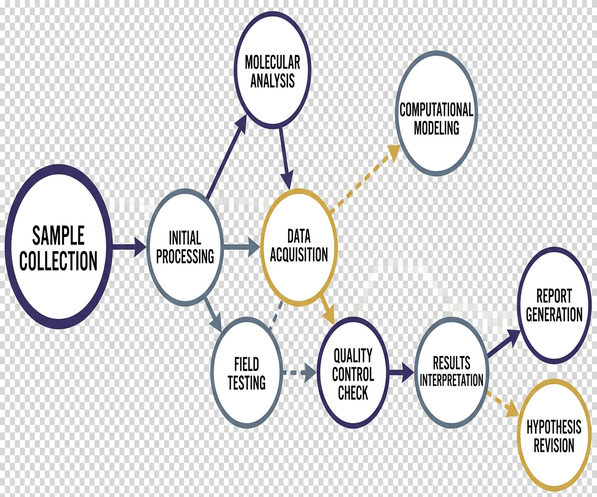
The rApp UI targets illustrate why platform breadth cuts both ways. The archived materials document three framework families:.NET, HTML, and Flash. Broad support like that speeds prototype assembly — you reach for whatever fits the screen you're building. The same breadth expands lifecycle risk, because every framework you touch becomes something you maintain and eventually migrate off.
Flash is the obvious cautionary note here, included only as a historical record rather than a recommendation. It accelerated delivery in its era and later became a liability once support wound down. You can read the Adobe Flash Player end-of-life notice as a compact lesson in platform longevity.
Quick Tip: Before you polish a single interface, run three passes on an occasionally connected prototype: one disconnected data-entry session, one reconnect-and-sync session, and one permission-restricted user flow. If any of those breaks, visual refinement is premature.
Integration: Where RAD Either Proves Itself or Breaks Down
Enterprise mobility projects rarely collapse at the screen layer. They collapse when device input, identity rules, external systems, or existing data flows refuse to cooperate. That's why integration is the honest proof point for any RAD claim.
The rApp environment handled extension through the Plug-In Manager, a concrete interface for adding capability rather than a vague promise of extensibility. A supported.NET assembly interface gave developers a path to connect third-party devices or drop in custom logic. This is the part that separates a demo from a deployable system.
Two device-input examples make the point tangible. Signature capture was represented as a binary data field suited to tablet pen input — the kind of thing a field technician needs at a customer site. GPS collection was button-activated capture, deliberately triggered rather than passive background tracking, which keeps the data intentional and the behavior predictable.
None of this is exotic. It's the connective tissue that determines whether a fast-built application survives contact with real hardware and real enterprise systems.
When Rapid Application Development Is the Better Fit
RAD earns its place when the organization has to discover the workflow by watching people use it.
- Field inspection steps, where the real sequence only becomes clear on site
- Mobile sales capture, where the fastest path through a form matters
- Checklist completion, where operational habits shape the interface
- Offline-first departmental processes, where the network is unreliable by nature
These share a trait: real-world network behavior, device input, and user habits are hard to specify perfectly in advance. You learn them by shipping something small and watching it get used. A useful first prototype scope is one bounded field workflow — local save, reconnect, sync, and exception review, not a full enterprise rollout.
Here's the failure mode worth naming. A mobile inspection prototype can look flawless in the office and fall apart during reconnect, because permissions, schema changes, and conflict handling were never exercised before someone spent a week polishing the layout. Test synchronization rules, permissions, and edge-case capture first. If pen capture or location capture is part of the operational workflow, put those real input paths in the early prototype too.
RAD works best when the domain is bounded, the integrations are understood, and someone can review a working prototype quickly. Strip any of those away and the model loses its advantage.
When Traditional Enterprise Development Is Safer
The inverse case is just as clear. Traditional delivery wins when the cost of ambiguity outweighs the cost of slower discovery.
Think regulated workflows, audit-heavy systems, long-lived platforms, and dense cross-system dependencies. In those settings, discovering the design through use is a luxury nobody can afford, because a wrong turn shows up in an audit finding rather than a bug report.
Traditional governance is where certain activities finally get room to happen properly: architecture documentation, threat modeling, procurement sign-off, formal test gates, and staged release approval. These aren't bureaucratic decoration. On a system expected to run for a decade, they're the difference between a maintainable platform and a slow-motion liability.
The Flash example returns here as a longevity warning. What accelerated delivery in one era became a maintenance constraint in the next. A traditional program with real lifecycle discipline is more likely to catch that kind of exposure before it's baked into a system that has to survive for years.
None of this makes RAD forbidden inside a traditional program. Throwaway prototypes, usability reviews, and workflow rehearsals are perfectly at home before final architecture approval. Use rapid methods to learn, then let the governance model take over where control is material.
A Decision Framework for Architects and Mobility Teams
The decision starts with a single question about where uncertainty sits. If it lives in user workflow and field behavior, prototype first. If it lives in enterprise risk, audit exposure, and platform lifetime, specify first.
From there, seven dimensions do most of the sorting:
- Requirements volatility — favor RAD when users can't reliably describe the workflow until they use working screens; favor traditional when requirements are settled.
- Offline behavior, heavy offline reliance pushes you toward a replication-aware design regardless of model.
- Synchronization complexity, the harder the reconcile problem, the earlier you must confront it.
- Device integration, pen, GPS, and third-party hardware belong in early validation.
- Security review, formal review depth leans traditional.
- Audit needs, audit obligations lean traditional and hard.
- Expected platform lifetime, the longer the horizon, the more platform-longevity risk matters.
Two questions cut through the rest. Does the first release need to prove workflow value quickly, or establish a long-term enterprise foundation? And are schema and permissions synchronization central to the product? The rApp model elevated that second question to a first-class concern rather than an afterthought, and it's worth doing the same. While you're mapping extension needs, check the concrete points: plug-in interfaces,.NET assemblies, signature capture, GPS input, and external application data exchange.
The durable lesson from the 2006-era rApp documentation isn't the stack. It's the persistent shape of the problem — local execution, replication, permission awareness, device input, and extensibility, all documented together instead of scattered across separate modern feature labels.
Your next step is concrete: pick the single field workflow with the highest uncertainty, build a throwaway prototype scoped to local save, reconnect, sync, and one permission-restricted flow, and run it against a real device before you write a line of the interface polish. What that prototype breaks on will tell you which delivery model the full project actually needs.











Join the Conversation
Share your thoughts.
Your Comment