
What Happens When the Network Disappears?
A receiving crew opens assigned purchase-order lines at 07:10. They start scanning pallet labels for incoming Plasma arc cutting, Arc welding, and Air carbon cutting equipment. Around 07:18, the handheld moves behind metal racking at the back dock, and connectivity drops.
Conventional online-first apps often fail here because they treat the network as a constant instead of a variable.
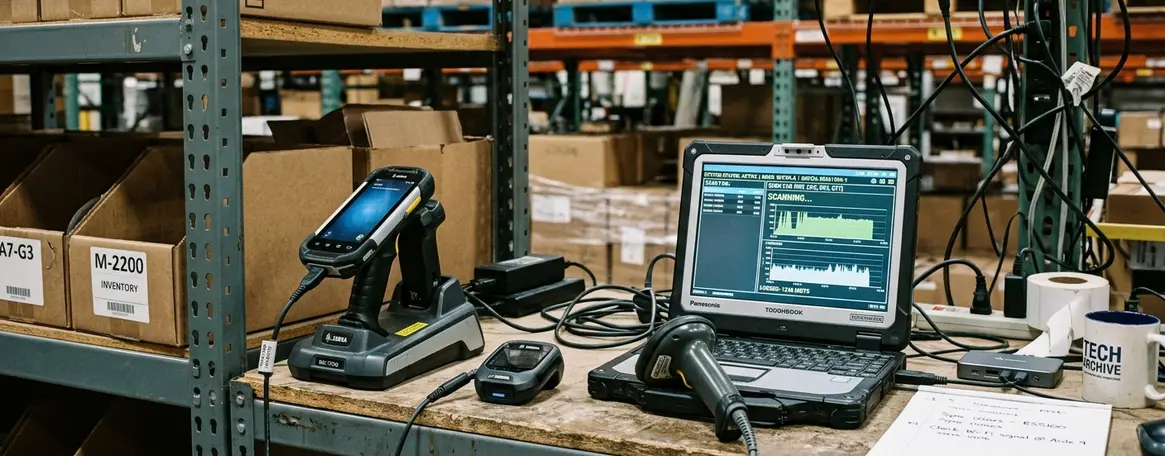
The application blocks the scan confirmation screen. The user is left unsure whether the last local action was saved. Ultimately, a supervisor must reconcile paper notes later in the shift to fix the missing inventory records.
I am revisiting this tension through an implementation-led guide originally published in late 2020 by Julia Sluder on the Ads Systems publishing platform. Offline-first architecture is a design approach for occasionally connected applications, not simply a caching trick.
Offline-First Means the Local App Is the Starting Point
The core principle is straightforward—the application should remain usable locally before it attempts to synchronize with a remote service.
First decide what the user must be able to do with no network, then attach synchronization, identity, and remote storage around that local core. An online-first app appears functional because the first screen is cached, but the submit button still calls the remote service directly, leaving the user with no durable local save when the network drops mid-task.
Offline-first requires local persistence, conflict-aware data design, retry logic, and user-visible sync states.
The minimum architecture includes a local data store, a sync queue, an identity layer, a backup process, and a remote online storage endpoint. The minimum local capability must allow users to open assigned records, create or edit operational entries, attach small supporting files, and mark work complete before any server round trip is available.
User-facing sync states should distinguish at least these four conditions:
- Saved locally
- Queued for upload
- Conflict requires review
- Synchronized
How to Choose Online Data Storage for Occasionally Connected Apps
Figuring out online data storage how to choose should be answered through practical decision criteria rather than a generic product list.
Evaluate storage against concrete workflow traits. These include the sensitivity of the record, expected sync trigger, file-size band, API support, authentication model, auditability, and recovery target after device loss.
Classify data before selecting storage. You will typically handle user-owned work items, department-shared files, read-only reference data, and system-generated logs.
Centralized storage is useful for cross-device availability, shared departmental updates, coordinated backups, and audit trails. Keep the mobile operational copy local so the user can continue during an active outage.
Note: Centralized online storage helps collaboration and recovery, but it cannot be treated as the only working copy when users may be inside metal storage aisles, below grade, on rural routes, or in facilities with segmented wireless coverage.
Useful sync-frequency labels for design review include immediate when connected, route-end upload, shift-end upload, and manual supervisor release.
Design the Local Store, Sync Queue, and Conflict Rules Together
Design the local data store, sync queue, and conflict policy in the same session.
Our testing shows that separating them too early creates a common enterprise failure. A warehouse handheld records five pallet scans while offline, reconnects near the supervisor desk, and silently overwrites a department-shared receiving note because the app tracked only the latest file copy and not the user, timestamp, or prior version.
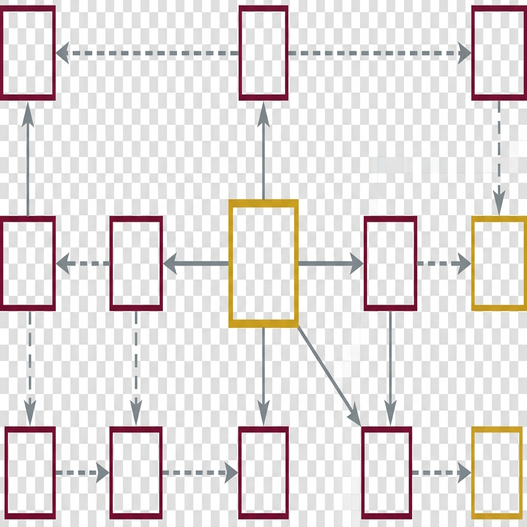
The local data store acts as the operational copy that lets users continue working when disconnected. The sync queue captures creates, updates, deletes, file edits, and attachment metadata as separate entries so an interrupted upload can resume without replaying the entire workflow blindly.
Queue each operation with a local record identifier, server record identifier when known, operation type, timestamp, user identity, device identity, and prior server version when available.
Conflict handling options vary by data type:
- Last-write-wins may be acceptable for low-risk reference labels.
- Departmental files usually need manual version review.
- Structured records can often merge field-by-field if ownership is clear.
Quick Tip: A route-based inspection app may batch uploads at shift end, while a shared dispatch board may need immediate sync when connected; both can be offline-first, but their queue priority and conflict rules should differ.
Practical sync triggers include explicit user submit, when the app returns to foreground, after a confirmed network change, and during a controlled background retry window.
Protect Access, Back Up Changes, and Share Data Deliberately
Keep access control, local protection, and collaboration policy separate.
Integrate two-factor authentication as a security feature for data access, especially when remote storage contains sensitive departmental or enterprise records. For specific implementation standards, consult the NIST guidance on authenticator assurance and session handling.
Two-factor authentication improves access control, but it does not replace device security, encryption, or careful permission design.
Automatic backup serves as a data loss prevention mechanism for local changes waiting to synchronize. Write local changes to an append-only journal before queue compaction, then retain the journal entry until the server acknowledges receipt.
Sharing controls should identify the file owner, permitted editors, current version, pending local edits, and whether a synced copy has been superseded.
A Practical Build Sequence for Offline-First Enterprise Apps
Sequence the build around workflow discovery first because storage and sync choices are consequences of user intent.
Map offline user tasks, classify data, choose local storage, select online storage, define sync triggers, add authentication, configure backup, and test conflict paths.
Start with a narrow pilot workflow before expanding to broader departmental data sharing. A pilot scope might include one receiving workflow, one inspection closeout workflow, or one field-service checklist.
The pilot duration should cover multiple real work cycles, such as 3 to 5 field days, so the team sees start-of-shift loading, midday outage behavior, and end-of-day synchronization.
As Robert Aldridge noted when building early rApps for field service, you must isolate local persistence, service calls, and sync orchestration behind application layers rather than binding screens directly to remote calls. While this layered architecture is proven across our.NET Compact Framework deployments, it assumes the client device has sufficient local storage to hold a full shift's operational data.
Test the App Where Connectivity Actually Fails
Offline-first quality is visible only under failure. The test plan should reproduce the points where users actually lose trust.
Test connectivity by starting a record online, switching to airplane mode before submit, continuing to edit, reconnecting, and verifying the queue drains without losing the local copy. Let authentication expire between shifts, then confirm the app protects remote access while still showing locally saved pending work according to policy.
Edit the same departmental file on two devices, reconnect them in reverse order, and verify the user sees a version decision rather than a silent overwrite. Replace the device, restore from backup, and confirm unsynchronized local work is either recovered or clearly reported as unrecoverable.
Successful offline-first architecture is measured by continuity. Users can keep working, understand what is pending, and recover from failure.
Offline-First Implementation Test Checklist
- Open assigned work with the network available, then disconnect before the first save.
- Create, update, delete, and attach a file while offline.
- Show the user whether each item is saved locally, pending upload, conflicting, or synchronized.
Summary: Choose online storage for collaboration and recovery, but design the app around local usefulness first.
Open your current mobile application, navigate to the primary data entry screen, and disable the device's network connection before pressing save. If the application blocks the user or discards the input, rewrite that specific transaction to write to a local data store first.









Join the Conversation
Share your thoughts.
Your Comment