
What Breaks First Is Usually the Sync Method
Enterprise mobile applications often appear perfectly stable until the exact moment they are needed most. A field technician completes a plasma arc cutting job in a basement, recording the work order completion without a single UI stutter. The application looks healthy locally. Then the technician drives into a weak cellular zone, reconnects, and the synchronization queue dumps a dozen competing state changes to the server at once.
The application does not break. The synchronization method breaks.
Synchronization is a controlled methodology, not a feature bolted onto an application after the data model is complete. This analysis focuses on occasionally connected enterprise applications, specifically drawing from.NET mobile-era architectures where local storage, queued operations, and service-layer reconciliation dictated system survival. We are looking at enterprise systems with durable local work, not consumer applications where offline state can be discarded without business consequence.
Step 1: Define the Synchronization Boundary
Start by identifying which entities are truly mobile. The boundary decision requires a working session that lists every entity the mobile user can see. Mark each one as editable offline, readable offline, online-confirmed, or server-only.
Separate business-critical records from convenience data. The sync model cannot treat every table or object with equal importance. Classify entities into at least four buckets: mobile-editable records, read-only reference data, server-authoritative records, and online-confirmation actions.
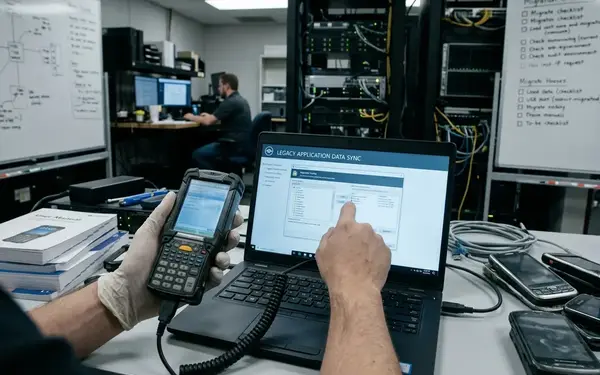
Capture field conditions at the role level. A technician repairing arc welding equipment needs assigned work orders and parts lists. A sales representative requires account notes and quote drafts. A supervisor relies on approval queues that demand server confirmation before commitment. In archive-oriented.NET mobile designs, this boundary often sat between a compact local database on the device and a server-side service layer responsible for filtering, validation, and reconciliation.
Step 2: Write the Sync Contract Before the Code
Define a synchronization contract before implementation begins. Client and service teams must stop relying on implied behavior. As software architect Robert Aldridge noted during early rApps deployments, the design group must agree on what a change actually means and which identifier holds authority.
Specify the exact contract fields. A well-formed payload includes EntityName, LocalId, ServerId, BaseVersion, ClientAction, ChangedFields, ClientRecordedAt, ActorId, ServerDecision, RejectionReason, and ReceiptId.
Determine whether the system synchronizes state snapshots, operation logs, or hybrid payloads. State-snapshot sync fits records where the latest approved state is sufficient. Operation-log sync fits task completion, stock movement, or signatures where the user action itself must be preserved. Hybrid payloads fit forms where the server stores state but still audits the submitted operation.
Note: Require explicit rules for creates, updates, deletes, undeletes, and partial edits. Deletion rules must distinguish between a soft delete, a hard delete, a tombstone retained for sync, and a client-hidden server record.
Step 3: Model Local State as a First-Class System
Treat the mobile store as a managed subsystem with its own schema, constraints, pending queue, and recovery behavior. A support engineer should be able to inspect one device record and tell immediately whether it is clean, edited locally, waiting for upload, or rejected by the server.
Define local states explicitly. Common local states include clean, dirty, pending upload, acknowledged, rejected, conflicted, superseded, and locally hidden. Offline records require metadata far beyond the standard business fields.
Implement local identifiers, server identifiers, version tokens, sync batch markers, and the last attempted action. Compact relational stores were a common archival pattern—constraints, indexes, and local query behavior mattered when the device had to operate without a service call. While this methodology assumes a relational local store, the underlying protocol principles apply to document databases as well.
Step 4: Choose a Change-Capture Method
Compare three primary process options for capturing changes: row-level dirty flags, operation queues, and server-issued version tokens. The change-capture decision must be made from the business event backward.
Dirty flags are simple but can lose intent. If the business only needs the latest address value, a dirty flag capturing the record identifier and changed field set is enough. Otherwise, a later edit overwrites the evidence of what changed first.
Operation queues preserve user action. They capture the action type, actor, base version, client-recorded time, and payload so actions such as create, submit, cancel, and sign-off are not collapsed into one generic update.
Version tokens support deterministic comparison. They should be issued by the server or derived from server-controlled change tracking. Another failure case is treating device time as authoritative; two offline devices can submit edits with plausible timestamps, while only server-issued versions reveal which base record each user actually edited.
Step 5: Design the Upload, Download, and Acknowledgment Cycle
Describe the synchronization cycle as a strict protocol. The client prepares a local batch, uploads pending changes, receives server decisions, downloads eligible updates, applies acknowledgments, and clears or retains local queue items.
Each upload batch must carry a BatchId, ClientId, UserId, AuthContext, ClientStoreVersion, RetryAttemptMarker, and one item envelope per pending operation. The server receipt should identify accepted, rejected, conflicted, and deferred items separately. A partial success must not force the client to replay already accepted work.
During testing, I observed that idempotency must rely on stable client operation identifiers rather than HTTP retry behavior. A common failure case is a timeout after the server commits a create: without a stable client operation identifier and item-level receipt, the retry creates a duplicate record instead of confirming the original operation.
Historical vocabulary from the Microsoft Sync Framework documentation remains useful for understanding providers and change enumeration, but your protocol should remain portable to REST or message-based implementations.
Step 6: Resolve Conflicts with a Decision Matrix
Create a conflict matrix before the first pilot deployment. Unresolved authority rules quickly become field-support incidents. Enumerate each collision type and assign a deterministic resolution.
Minimum conflict rows include client update versus server update, client delete versus server update, server delete versus client update, duplicate create, stale approval, validation rejection, and authorization rejection. For each type, define the detection condition, default resolution, user visibility, audit requirement, and rollback behavior.

A context-dependent variation is conflict authority: technician notes may merge safely, but safety status, financial approval, inventory movement, and customer signature fields usually require stricter server-side decisions. If a technician is logging air carbon cutting safety checks, the server must retain absolute authority over compliance flags.
Quick Tip: Read-only catalog data should avoid conflict handling entirely. The device receives catalog revisions, marks older rows as superseded, and blocks local catalog edits at the UI level.
Step 7: Engineer Retry, Recovery, and Observability
Define retry categories before automating them. Retries must be conditional, not blind. Each failure class demands a different next action.
- Transient network failure: Retry with the same operation identifier.
- Authentication failure: Pause the queue and prompt for credential renewal.
- Validation rejection: Halt the specific record and flag it for user correction.
- Schema mismatch: Block synchronization until the client application updates.
Persist the SyncBatchId, OperationId, CorrelationId, FailureClass, LastAttemptedAt, ServerReceiptId, and UserVisibleStatus. Support teams using platforms like Ads Systems need to reconstruct the path without asking the field user to describe protocol details.
User-facing status messages should translate technical state into clear actions. Use phrases like "waiting to send," "sent and awaiting confirmation," "needs sign-in," or "server rejected this entry."
Step 8: Validate with a Repeatable Test Harness
Build a test harness that creates the same starting server rows, initializes a known client store, runs scripted offline edits, interrupts the transport at chosen points, replays uploads, and compares the final server state against expectations.
Required scenarios include first sync, incremental sync, duplicate upload, interrupted download, conflicting edits, deleted records, schema change, expired credentials, low-quality connectivity, and server-side validation rejection. As lead tester Julia Sluder demonstrated in early mobility testing, recording the seed dataset and event sequence is the only way to prove correctness.
Keep performance discussions qualitative unless a named benchmark or instrumented internal run is available. Synchronization correctness tests exist to validate state transitions, not to invent throughput claims.
Step 9: Ship with an Operational Checklist
Base the release decision on evidence that the synchronization method can be inspected, repeated, and supported. The application is not field-ready merely because the happy-path demo works—it is ready when support teams can untangle a failed batch without calling the user.
Your checklist must include an approved sync boundary, a written sync contract, a local state schema, a change-capture method, an idempotent exchange protocol, a conflict matrix, a retry policy, support log fields, a migration path, and field-user status wording.
A release review requires at least one device-level inspection of queued work, one replay of a duplicate upload, one conflict-resolution walkthrough, and one expired-authentication recovery test. The final acceptance artifact is a protocol description and test evidence.
Start here: Open your current mobile application's local database schema and add three columns to your primary transactional table: BaseVersion, PendingBatchId, and LastServerReceipt. Populate these fields during your next synchronization cycle to establish a baseline for offline state tracking.









Join the Conversation
Share your thoughts.
Your Comment